Customer habit
Invoices accumulate when paying is treated as a weekly admin task.

Cash flow / payment state
Cash is useful when it arrives on time. Make the payment state visible, give customers a simple next step and reduce the work spent chasing overdue invoices.
Start your free trialThe payment loop
01 / ask the cash-flow question
Customers are more likely to pay on time when the process is simple and the expectation is clear. BSimple can collect and store authorised card details, then use the payment schedule attached to the invoice rather than relying on someone to remember to chase it.
That does not remove the relationship from the process. It gives the team a visible payment state and a consistent next action.
Compare the pricing plans02 / make state visible
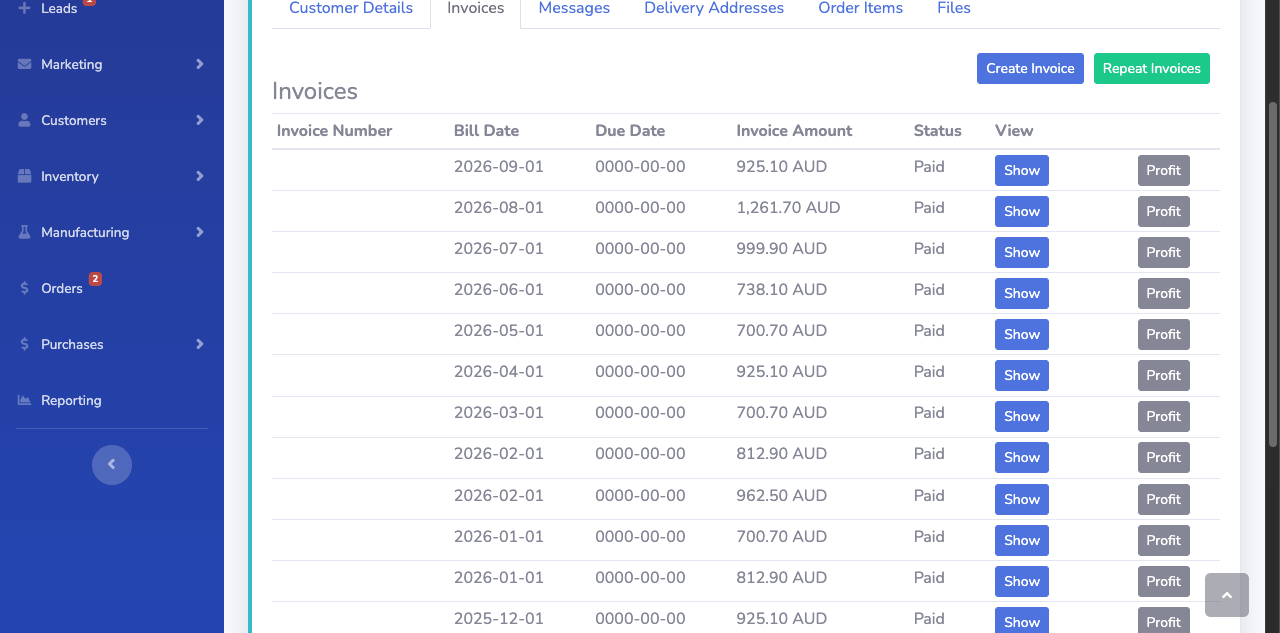
Invoice status is the operational signal: due, overdue, paid or voided. The screenshot shows the BSimple invoice record and its accounting actions; it does not represent a card-capture or EWay screen.
That distinction matters. Use the invoice state to decide what happens next, then confirm the payment and reconciliation result in the accounting record.
03 / understand the delay
Invoices accumulate when paying is treated as a weekly admin task.
A tax bill or another priority can push your invoice down the list.
If nobody sees the overdue state, the next follow-up arrives late.
04 / correct the pattern
Give customers a clear path to pay and, where appropriate, store an authorised card for scheduled collection.
Publish the terms, privacy and refund policies customers need to understand before payment automation begins.
Use reasonable incentives such as reward points without turning follow-up into an adversarial process.
05 / optional incentive
The Rewards points game is one of the best reasons to encourage and entice your customers into loading their card into the system. The trick here is to tell them to use a points card deliberately! They get to receive the goods, pay for it using the banks money for free + get points. David has been using this technique for the past decade, and has flown his wife to the UK and back using points, not to mention regular business class tickets flying around Australia (before COVID). More recently, David cashed in points with Barbeques Galore and bought a smoker.
It's free money and it's a great system for rewarding the customer for paying invoices. Yes it does cost you a little bit - but that is the cost of having the peace of mind and the cashflow. Go ahead and tally up your time and you will see the reason why this makes sense.
06 / setup and test
Using EWay requires an account, supporting documentation, published customer-facing policies and credentials configured in BSimple. Complete the connection in a staging environment before switching on scheduled payment.
Why this became a product problem
We have always heard this from many business advisors and we all like seeing a small figure in the "overdue" column in Xero - however how do you actual work towards this?
The Founder of BSimple, David, has been operating business for the past 14 years. For the entire time David was operating a telecommunications company. For those out of the loop, the telecommunication's industry typically runs a 6% bad debt ratio against revenue. As this figure was unacceptable to David, he built a prepaid platform where customers pay in advance for services and the is no possibility for customers to rack up a debt.
Questions before setup
No. BSimple has already been authorised and setup with EWay and has the template Terms, Privacy and Refund policies ready for you to read and adjust to suit your business. These need to be published in the Customer ordering portal for compliance.
Yes. You will need to signup HERE. The process is involved as it's a financial services product, so please be prepared to supply all sorts of detail to the EWay team. It also does take time, so the quicker you jump into the process, the quicker it will be ready.
Keep cash moving