
Guide / stock and orders together
Inventory management and ordering software
The two functions belong together: an order is only truthful if the stock behind it is, and a purchase order is only right if demand drives it. Here is what combined software should do — and how BSimple runs the loop.
The key facts
- Why combined matters: split systems synchronise on a delay, and the gap between them is exactly where overselling and phantom stock live.
- The inbound loop: demand signals reorder levels, reorder levels raise purchase orders, goods receipt updates stock.
- The outbound loop: customers order through the portal, stock is checked live, picking to packing to approved invoice deducts it.
- BSimple's version: both loops on one record — not an integration between two — with accounting handed to Xero or MYOB.
- The wider flow: how order management works maps the full path this page is part of.
- 01The key facts
- 02What "combined" has to mean to be worth anything
- 03The outbound loop: how ordering should work
- 04The inbound loop, and the boundary at the books
What "combined" has to mean to be worth anything
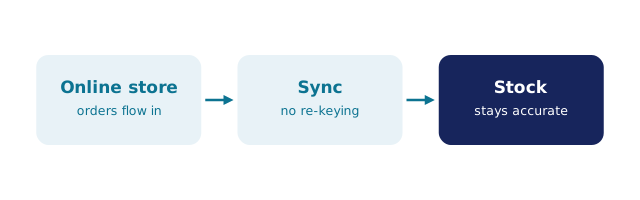
Plenty of software claims to combine inventory and ordering by installing both and syncing them nightly. That is not combination; it is a truce. Combined means one record: when a customer's order is confirmed, the quantity is spoken for in the same place the next customer's availability check happens — instantly, with no sync window in which two customers can buy the same unit. It also means orders and stock share their evidence: the purchase order that replenished a line, the invoice that consumed it, the stocktake that corrected it — one history, not three.
The test is simple to run in any demo: sell the last unit twice, deliberately, and see whether the system lets you. Software with a sync delay will; software with one record cannot.
The outbound loop: how ordering should work
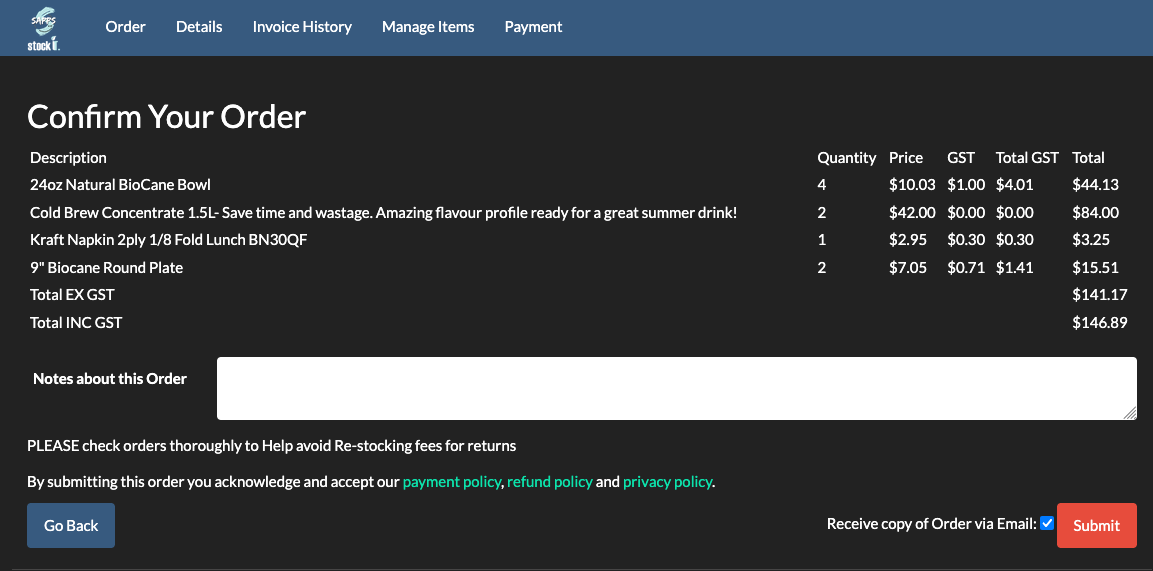
Ordering starts before the phone rings. In BSimple, each customer gets a unique secret link to the ordering portal — their own product list, their own pricing, no passwords — and invitations to order go out by SMS or email when their ordering day approaches. What arrives lands straight into a single order record: stock checked live against quantities, delivery slips produced, picking and packing driven from the same record the salesperson saw, and a deliberate approval step before the invoice commits and stock deducts. Order status is visible to the customer and the team from the same source, which is why nobody chases "where is my order" by phone.
What order management software is walks this path step by step, and inventory and billing on one record covers the invoice end in detail.
The inbound loop, and the boundary at the books
On the supply side, the same record watches demand: reorder and par levels trigger purchase orders when stock runs down, goods receipt updates quantities as trucks unload, and supplier invoices reconcile against orders with price-variance flags when a supplier's charge does not match expectations. Split/join invoice handling and GST-inc/ex-GST reconciliation are part of the purchasing flow — because the loop is only closed when what you ordered, what arrived and what you were charged agree.
We build BSimple, so weigh that: both loops on one record, from $180/month AUD, every feature in the core plans, and the accounting boundary deliberate — approved invoices push to Xero or MYOB and payment status mirrors back (US accounting integrations rolling out), while compliance stays in the books. The inventory management pillar shows the full record; the trial runs both loops on your own products in an afternoon.
Frequently Asked Questions
Can I run ordering software and inventory software separately?
You can, and small operations do. The cost arrives with volume: every sync delay is a window for overselling, and every manual bridge between the two is re-keying. One record removes the window and the bridge together.
How does the customer portal connect to stock levels?
Directly — the portal checks live quantities in the same record the warehouse works from, per customer with their own list and pricing. Customers see what is actually available, not a price list with optimism built in.
When does a purchase order get raised in BSimple?
From demand against reorder and par levels you set — not from guesswork. Goods receipt then updates stock, and supplier invoices reconcile with price-variance flags, closing the loop from shortage to replenishment.
Does this replace our accounting software?
No — deliberately. BSimple hands approved invoices to Xero or MYOB and mirrors payment status back; tax and compliance stay in the accounting system. The record stays operational, the books stay clean, nobody re-keys.
What does it cost to run both loops together?
BSimple plans start at $180/month AUD with ordering, purchasing and inventory all included — there is no separate ordering module. Start the free trial and run a real order through the whole loop.

BSimple